LifePoints: Rewards App
- 4.4
- Rating
- 5.00M
- Installs
- Free
- Price

 Analysis by App-foxy
I see LifePoints as a survey-based lifestyle app rather than a general money-making tool. Its basic idea is simple: you answer market-research questions in your spare time and exchange the rewards for PayPal, Venmo, or gift cards. That makes it easy to understand, but the real question is whether the time, attention, and personal information involved feel worthwhile to you.
I used it with that question in mind. The app is free, made by Kantar Profiles, and sits in the Lifestyle category. It is suitable for Everyone, supports devices running Android 8.0 or later, and its current version is 3.1.14. Those details matter because LifePoints is designed for occasional participation, not as a replacement for paid work. I would recommend approaching it as a small-reward routine that can fit around an existing day.
How to Decide Whether LifePoints Fits Your Routine
The first decision criterion is your patience with short questionnaires. LifePoints is built around answering surveys, so your experience depends less on browsing or entertainment and more on whether you are comfortable giving focused answers to repeated questions. If you enjoy sharing opinions about products, habits, media, or everyday choices, the format can feel fairly natural. If you dislike screening questions or being asked to think carefully about ordinary purchases, the process may feel slow.
You May Also Like

 Blood Strike: 2.5 Anniversary
Blood Strike’s Loadouts Turn Every Drop Into a Tactical Gamble
A close look at Blood Strike’s custom loadouts: how fast access to signature weapons reshapes its battle royale rhythm, rewards preparation, and narrows the gap between fights.

 Pandora - Music & Podcasts
Pandora’s Music Is Easy to Start, but Harder to Recover
Pandora’s strength is its low-effort path from a seed to a station. Its weak spot is how much confidence it asks you to place in connection, setup, and quiet recovery.

 8 Ball Pool
 Is Built on Rivalries, Rematches, and Routine
A close look at the rivalries, rematches, shared routines, and unanswered safety questions that turn a quick pool match into a persistent mobile community.

 Samsung Music
’s Quiet Strength Is Playing What You Already Own
Its reach comes less from spectacle than from dependable access to a personal library. That simplicity is both the app’s strongest retention engine and its ceiling.

 AccuWeather: Weather Radar
AccuWeather Review: A Quick, Clear Forecast for Everyday Decisions
For everyday plans, the best forecast is the one you can understand quickly. AccuWeather makes rain timing, radar, and local conditions easy to act on, with a few trade-offs.

 Hill Climb Racing
Why Hill Climb Racing Still Turns Crashes Into One More Run
A tiny car, a bumpy hill and one more upgrade: Hill Climb Racing keeps resurfacing because its simple chaos makes every near-miss feel personal.
More From Our News Desk



The second criterion is how you value small amounts of free time. I would not open this app expecting a dependable hourly income. It makes more sense during moments that would otherwise disappear: waiting for an appointment, sitting on public transport, or taking a short break between tasks. The reward is best viewed as a modest return for spare attention, not payment that justifies rearranging your schedule.
There is also a privacy decision. Surveys can ask about personal preferences, household behavior, shopping patterns, and other profile details. I recommend reading each question before answering rather than rushing through for points. A thoughtful user should decide which topics feel comfortable and should avoid treating every available questionnaire as automatically worth completing.
LifePoints has a 4.4 average from around 187 thousand ratings, with more than 8 thousand written reviews and over 5 million installs. Those figures suggest that the app has attracted a substantial audience, but popularity does not remove the need to judge the experience personally. Survey availability and relevance can vary, so a strong public rating should be treated as a useful signal, not a promise that every session will be equally productive.
The first session and the profile-building trade-off
When I start a survey app, I want to know how quickly it becomes useful. With LifePoints, the profile questions are important because they help determine which surveys are relevant. The trade-off is that the early setup can feel like work before the reward process becomes interesting. I would take time to answer consistently, because careless or contradictory responses can make later questionnaires less comfortable and may reduce the usefulness of the matches you receive.
A practical approach is to complete the profile in one sitting, then stop. There is no advantage in turning the setup into a long daily ritual. Once the basic information is in place, I would check the available surveys only when I already have a natural break. This keeps the app from taking over your attention and makes it easier to judge whether the rewards justify the minutes you spend.
What answering surveys is actually like
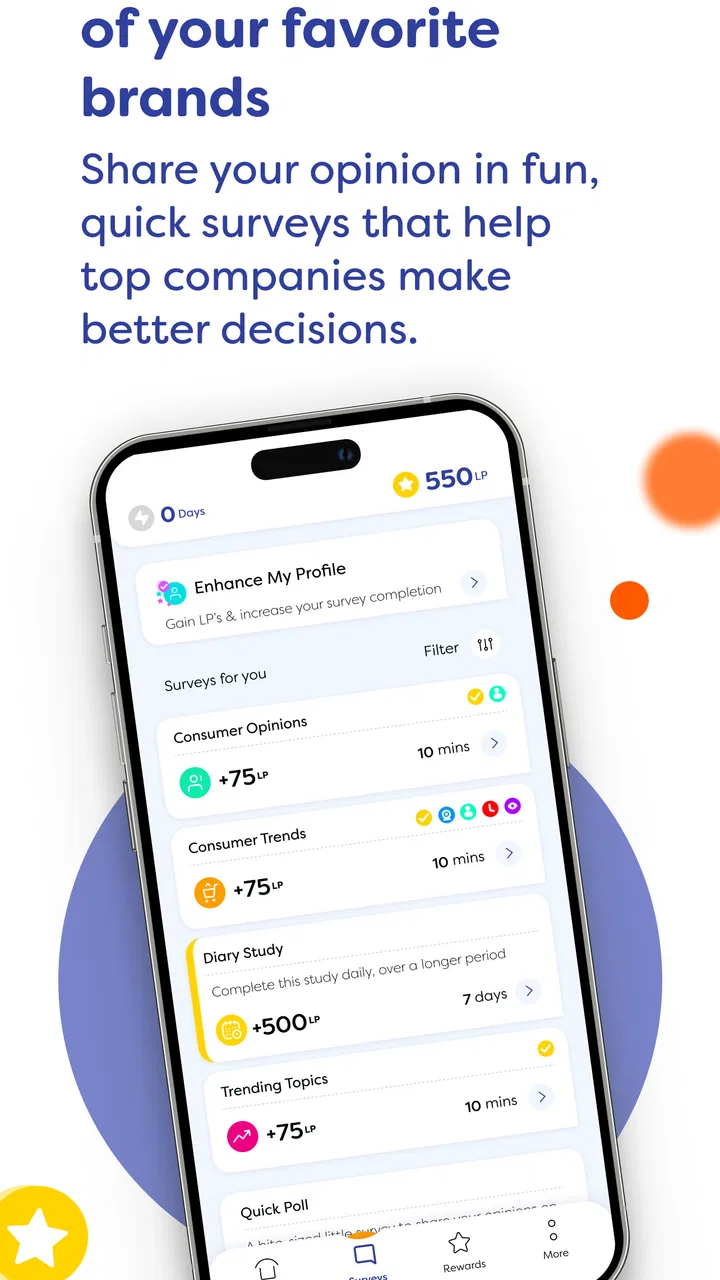
The central workflow is straightforward: open a questionnaire, read the screening prompts, answer the main questions, and build up rewards for a later cash-out. The simplicity is a strength. I never need to learn a complicated interface or manage a game economy. The downside is that the experience can be repetitive, and some surveys may not match your profile closely enough to make completion worthwhile.
My best tip is to read the opening questions as a time check. If the subject is outside your experience, answer honestly rather than guessing. If the questionnaire asks for details you do not remember, do not feel pressured to invent precision. Honest, consistent answers are more valuable than trying to optimize every individual survey, especially when the goal is to keep the account useful over time.
Another useful habit is to note how long a survey feels before committing fully. A questionnaire that looks short can become more demanding once it reaches detailed follow-ups. I would not abandon every longer survey automatically, but I would reserve those for moments when I have uninterrupted time. This simple separation between quick sessions and focused sessions prevents an unexpected questionnaire from interrupting work or travel.
Where the reward choices make a difference
LifePoints is more flexible than a survey app that offers only one redemption route. The available reward destinations include PayPal, Venmo, and gift cards, so you can choose between digital cash-style options and a store-oriented reward. That choice is useful when your aim is specific. I would lean toward a cash option for general spending and a gift card when I already know which retailer or service I intend to use.
The important point is to think about redemption before spending too much time in the app. A reward is only useful if it suits your normal spending habits. Someone who rarely uses gift cards may prefer a cash-out route, while another person may find a gift card easier to use for a planned purchase. Checking the available choices inside the app before building a routine can prevent disappointment later.
I also recommend treating the balance as something to redeem deliberately rather than as a reason to keep answering indefinitely. Once you reach a personally meaningful amount, cashing out can give you a clearer sense of the app’s real value. This is a better test than watching a small balance grow while forgetting how much time went into creating it.
Where this product wins over familiar alternatives
LifePoints works well for people who want one focused activity instead of a crowded rewards hub. Compared with cashback services, it does not depend on remembering to activate an offer before shopping. Compared with receipt-scanning tools, it centers on opinions and survey answers rather than keeping purchase records. Compared with casual games that offer rewards, it asks for direct participation instead of making you play through levels or watch content.
That focus is its strongest advantage. If you have a clear opinion and a few spare minutes, you can open the app and do the task that matters. There is less temptation to browse unrelated promotions. I find that appealing because it makes the app easier to evaluate: the exchange is mainly your attention and answers for rewards, rather than a complicated collection of activities.
The multiple payout paths also help it compete with narrower survey services. PayPal and Venmo suit users who want flexibility, while gift cards suit people who prefer a defined destination. I would still check which option fits my own habits, but having that choice makes LifePoints more practical than a platform that locks every participant into one type of reward.
Where another category may fit better
LifePoints is not the right choice if you want predictable earnings. Survey availability can depend on your profile and on the kinds of research being conducted, so you should not plan a monthly budget around it. A part-time job, freelance assignment, or established gig platform is a better fit when you need reliable income and can commit to scheduled work.
It may also be a poor match if you want entertainment first. A game with optional rewards can be more enjoyable for someone who would play anyway, even if the financial return is less direct. Likewise, cashback and receipt apps may suit a shopper who already makes frequent purchases and prefers to earn from transactions rather than answer questions.
Privacy-sensitive users should compare the trade-off carefully. LifePoints requires participation in market research, while a cashback service may feel more natural to someone who would rather receive an offer for an activity they already planned. Neither approach is automatically better. The right choice depends on whether you are more comfortable sharing opinions or linking rewards to shopping behavior.
There is also a personality factor. I would skip LifePoints if I became irritated by screening questions, repeated demographic prompts, or the possibility that a survey does not suit me. The app is most useful to someone who can accept that not every invitation will become a complete questionnaire and who can leave without feeling that a few unused minutes have been wasted.
Small workflow choices that improve the experience
My first practical suggestion is to use the app in defined windows. For example, I might check it once during a lunch break and once during an evening pause, rather than opening it repeatedly throughout the day. This keeps notifications and curiosity from creating a constant interruption. It also gives me enough distance to decide whether a new survey is genuinely worth starting.
My second suggestion is to separate easy surveys from demanding ones. Shorter questionnaires are suitable for waiting rooms, while longer or more detailed subjects deserve a quiet setting. This sounds obvious, but it changes the experience considerably: frustration often comes from beginning a survey at the wrong moment rather than from the survey itself.
Third, I would keep my answers consistent without trying to guess what the researcher wants to hear. The value of a panel depends on usable responses, and exaggerated answers can make future participation feel less trustworthy. A calm, honest approach is also less tiring than trying to construct a perfect profile for every question.
Finally, I would use the redemption options as a personal checkpoint. After a few sessions, ask whether the reward destination is genuinely useful and whether the time feels acceptable. If the answer is no, switch categories rather than forcing the habit. The fact that an app is free does not mean your attention has no cost.
How much effort should a new user expect?
A new user should expect an introductory period in which the app learns what kinds of surveys may be relevant. I would not judge it from a single opening session. At the same time, I would not give it unlimited time to prove itself. A fair test is to use it during spare moments, record mentally how often the surveys feel relevant, and then compare the resulting reward with the value of those minutes.
The app is free to install, which makes trying it relatively low risk in financial terms. The real cost is attention, plus the willingness to answer market-research questions. That is why I would avoid multitasking while completing a survey. Distracted answers are more likely to be careless, and careless participation makes the whole exchange less satisfying.
For families, the Everyone age rating makes the app broadly accessible, but I would still encourage younger users to involve a parent or guardian when deciding what personal information to share. An age label does not replace good judgment about privacy, account access, and reward redemption. Adults should make the same assessment for themselves rather than assuming that a general rating means every question will feel comfortable.
What the developer and app maturity tell me
LifePoints is developed by Kantar Profiles, which helps explain why the app feels centered on structured research rather than casual polls. It has been available since September 20, 2021, and the current version is 3.1.14. I see that continued versioning as a sign that the product is maintained as an ongoing service, not presented as a one-off experiment.
That does not guarantee a perfect experience on every phone. Anyone using an older Android device should check that it runs Android 8.0 or later before installing. I would also keep the app updated when possible, especially for a service that handles account access and reward redemption. A stable, current installation is a small but sensible part of protecting the time already invested.
The large installed audience and strong rating make LifePoints easier to consider than an unknown survey app, but I would still judge it by practical usefulness. The most meaningful test is not how many people have tried it; it is whether the available surveys match your interests, whether the questions feel reasonable, and whether the payout route works for your normal spending.
My recommendation after weighing the alternatives
I recommend LifePoints to adults who enjoy giving opinions, have small pockets of idle time, and want a choice between PayPal, Venmo, and gift cards. It is especially suitable if you prefer a direct survey workflow over cashback tracking, receipt uploads, or reward-based games. The app’s free price makes it easy to test without committing money, and its focused design means you can stop using it whenever the exchange no longer feels worthwhile.
I would not recommend it as a primary income source, a guaranteed daily routine, or a substitute for paid work. I would also steer away from it if you dislike sharing market-research information or if unpredictable survey availability would frustrate you. In those cases, a shopping-reward service, a freelance platform, or a conventional part-time option may better match your priorities.
My final advice is to start with a clear boundary: use LifePoints only during spare time, answer carefully, and decide in advance which redemption option you actually want. After a few sessions, judge the experience by the reward you can use and the attention you spent, not by the excitement of seeing new surveys appear. For the right user, it is a convenient small-reward tool; for everyone else, the opportunity cost of answering may outweigh the benefit.
FAQs for LifePoints: Rewards App
01What is LifePoints: Rewards App and how does it work?
LifePoints: Rewards App is a platform where users can earn points by participating in surveys and other activities. These points can be redeemed for gift cards, PayPal credits, or other rewards. Users need to sign up, complete their profile, and start taking surveys tailored to their interests to earn rewards.
02Is LifePoints: Rewards App free to use?
Yes, LifePoints: Rewards App is completely free to download and use. There are no subscription fees or hidden charges. Users can participate in surveys and earn points without any cost, making it an accessible option for anyone looking to earn rewards through surveys.
03How are the rewards redeemed on LifePoints: Rewards App?
Rewards on LifePoints: Rewards App can be redeemed once users have accumulated enough points. These points can be exchanged for a variety of rewards, including digital gift cards, PayPal credits, or other available options. The app provides a straightforward interface to manage and redeem points.
04Is my personal information safe with LifePoints: Rewards App?
LifePoints: Rewards App takes user privacy seriously and implements measures to protect personal information. The data collected is used to match users with relevant surveys. It is important to review the app's privacy policy to understand how your information is used and protected.
05How often are new surveys available on LifePoints: Rewards App?
The frequency of available surveys on LifePoints: Rewards App varies. Users may receive notifications of new surveys based on their profile and survey availability. Regularly checking the app and keeping your profile up to date can increase the chances of receiving more survey opportunities.
Pros
- User-friendly interface enhances navigation.
- Wide variety of surveys available daily.
- Earn points quickly for completing tasks.
- Supports multiple redemption options.
- Frequent updates improve app stability.
Cons
- Limited local surveys for some regions.
- Occasional app crashes reported by users.
- Points for surveys vary significantly.
- Some surveys can be time-consuming.
- Requires internet connection for access.

LifePoints: Rewards App
Gallery